
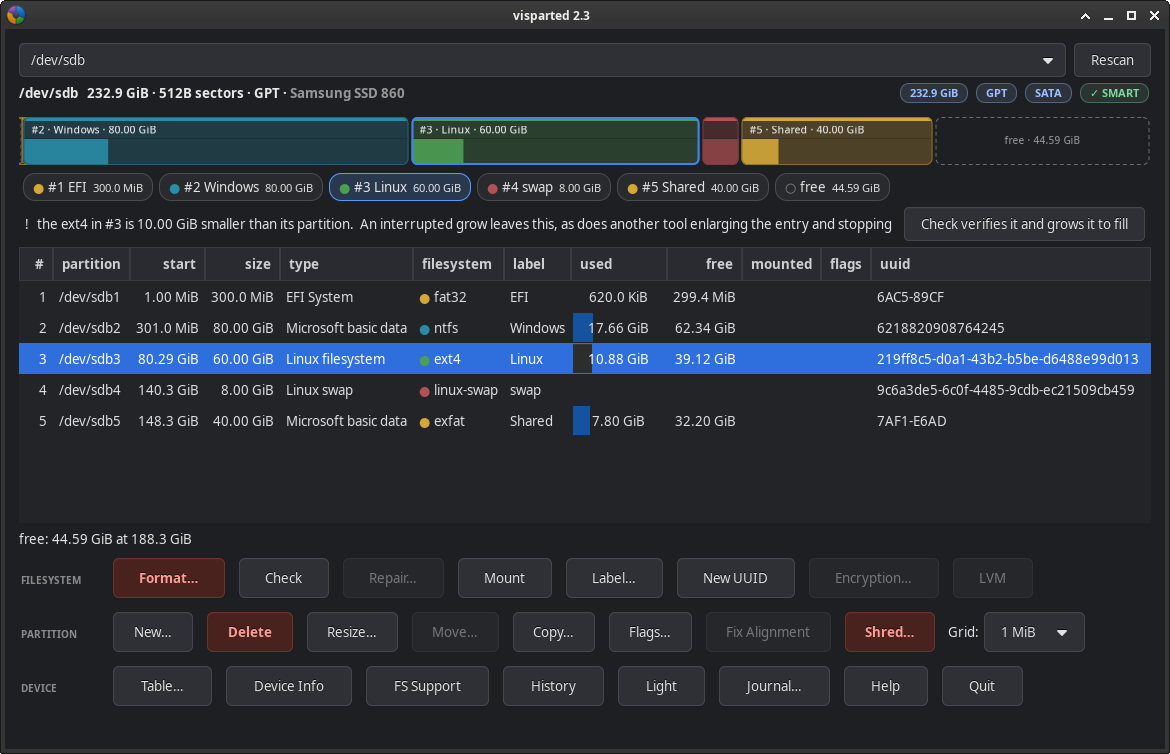
Every guide to resizing partitions gives the same warning: back up first, and do not interrupt it. The warning is there because most tools change the disk as they go. A crash, a freeze or a power cut partway through can leave a damaged file system and a partition table that points to the wrong place. Here is what VisParted, the partition editor in Parted Magic, does about it.
Why an Interrupted Resize Loses Data
Moving or resizing a partition means copying data while the disk’s own map is changing. Stop it at the wrong moment, and the data is half in the old place and half in the new, and the table describes neither.
How VisParted Keeps an Interruption Safe
VisParted turns every change into a plan. It shows each step and the layout that will result, and checks the plan on a model of the disk before anything is written. While it works, it records its progress in a journal, chunk by chunk for a move. It changes the partition table last, once all the data is where the plan says.
After a power cut, start Parted Magic and VisParted again. VisParted finds the unfinished work by itself, offers to finish it, and goes on from the last checked chunk.
Before release, VisParted’s work was cut off by 1,399 simulated power failures in test machines. Each time, it was resumed from its journal, and the partition table, the file system and every file were checked.
Keep the Journal Where a Restart Cannot Erase It
Parted Magic runs from memory, so a journal kept in memory is lost when the power goes. Before you start, click Journal… and choose a place that survives a restart: the Parted Magic USB drive, or another disk the change does not touch. Each plan shows where its journal will be, and warns you when it is in memory.
If there is nowhere else, VisParted still lets you go ahead, and an interrupted change then has to be done again. A move that overlaps its own source needs your extra consent, because only the journal can finish it.
Before Any Resize
Make a backup first, whatever tool you use. When VisParted finishes, it reads the disk back and checks every partition against the plan. The Partition Manager page has more about VisParted, and VisParted comes with every copy of Parted Magic; see the store page.