
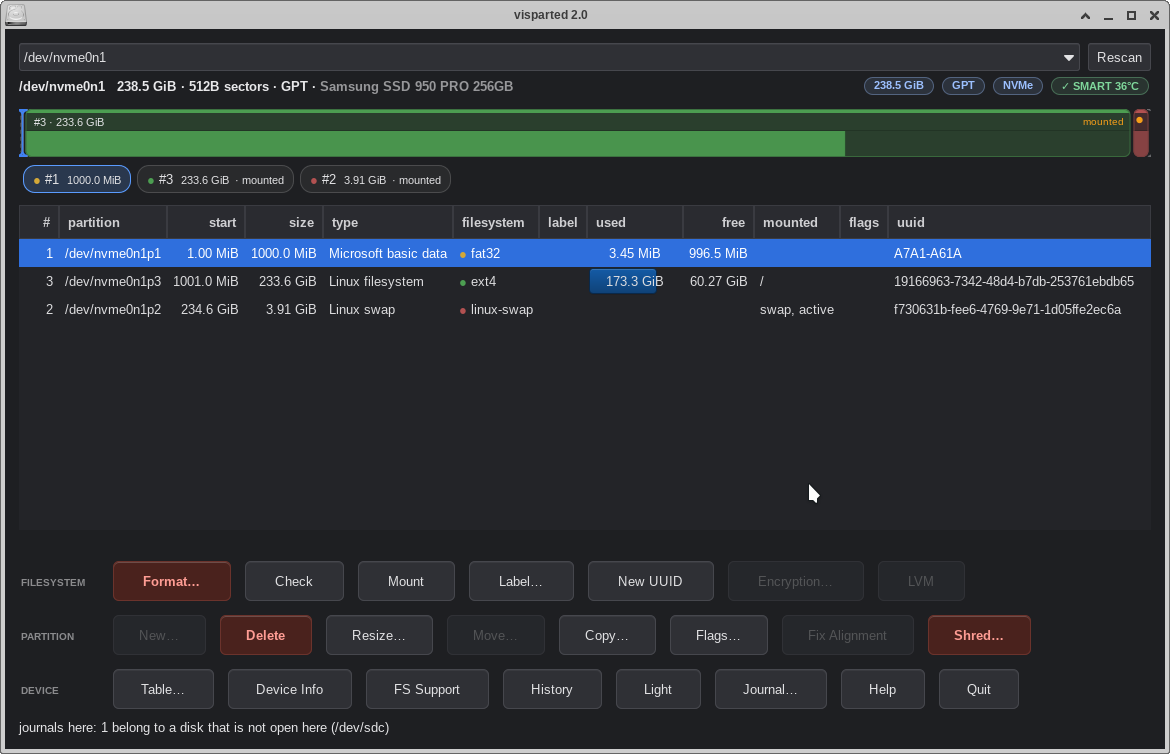
Every guide about resizing partitions carries the same warning: back up first, don’t interrupt it, hope nothing goes wrong. The warning exists because of how most tools work. They modify the disk as they go. A crash, a freeze, or a power outage in the middle can leave the filesystem inconsistent, with a partition table pointing at the wrong bytes. Here is how to resize a partition safely, and what Parted Magic’s partition editor does differently when the worst happens anyway.
Why an interrupted resize destroys data
Moving or resizing a partition means copying data while the disk’s map of itself is changing. Interrupt that at the wrong moment and the data exists half in the old place, half in the new. The table then describes neither. Tools that write changes incrementally have no good answer to this. Whatever was mid-flight at the moment of failure is simply in an unknown state.
Resize a partition safely: the design that survives failure
VisParted, the partition editor built into Parted Magic, treats every operation as a plan. It shows you the exact steps and simulates them before anything touches the disk. During a move, a journal records progress, chunk by chunk. And VisParted writes the partition table itself last. If the machine dies mid-operation, the disk still describes the original layout. The original data sits intact where it always was.
This is not a theoretical claim. In testing, we deliberately killed the machine at 60% of a partition move. On reboot, the partition sat exactly where it started, every file present. The work already done survived too. The journal records completed chunks, and VisParted offers to resume unfinished operations when it starts.
You can recover an interrupted resize — a power outage included
Because progress lives in the journal rather than only in RAM, you can finish an interrupted operation instead of mourning it. VisParted is also honest about where that guarantee needs a safe place to live. On a system booted entirely into RAM, it tells you when a journal location would not survive a reboot. It refuses outright the one combination where an interruption would leave damage beyond repair: an overlapping move with nowhere durable to record progress. A tool that names its limits is a tool you can trust about its strengths.
Before any resize, with any tool
A current backup beats every safety mechanism ever engineered. Make one. Then the way to resize a partition safely is a tool that plans before it acts, records as it works, and proves afterward that the result matches the plan. VisParted closes every operation by re-reading the disk and attesting the final layout, slot for slot.
VisParted ships with every edition of Parted Magic. Details are on the store page, and more about the editor lives at partedmagic.com/partition-editor.