
Deleting files does not remove them, and a quick format does not either. On a solid state drive, even writing over the whole drive can leave data behind. If a drive is being sold, returned, recycled or given away, here is how to erase it so the data is gone.
Why Writing Over an SSD Is Not Enough
On a hard drive, writing over a sector replaces what was there. An SSD works differently. Its controller spreads writes across the flash to even out wear, and every SSD has spare flash the computer cannot address. When you write zeros over the drive, the controller may put them in fresh cells and set aside the cells that still hold your data. Software that writes through the drive’s normal interface cannot reach every cell.
The Drive’s Own Erase Commands
Drive makers build erase commands into the drive. SATA drives have ATA Secure Erase and Enhanced Secure Erase, and many have ATA Sanitize. NVMe drives have Format NVM and Sanitize. A self-encrypting drive can do a cryptographic erase: it replaces its encryption key, and what was written with the old key can no longer be read. These commands work on the whole drive, the spare areas included.
Clear and Purge
NIST SP 800-88, the usual standard for erasing media, names the levels. Clear writes over the data through the normal interface, and suits a drive that stays with you. Purge uses methods such as the drive’s own erase commands, and is the level for a drive that leaves your control.
Securely Erase an SSD with Parted Magic
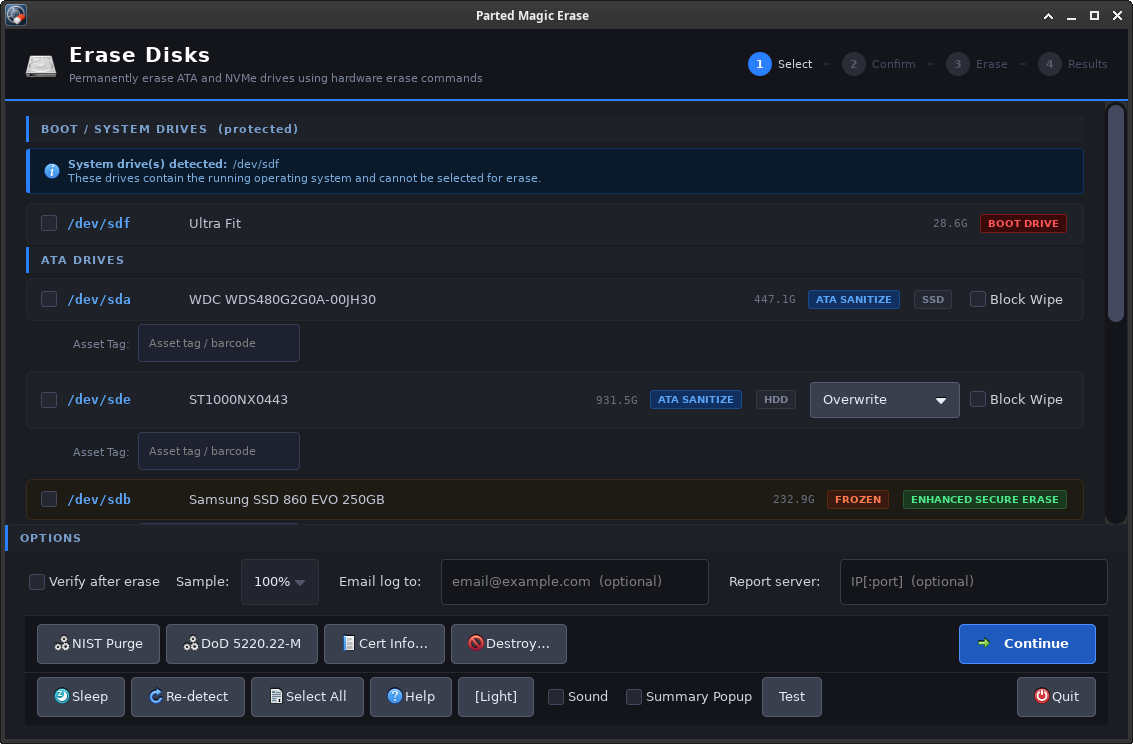
Parted Magic starts from a USB drive and runs in memory, so nothing is installed on the computer. Its Erase program lists every drive and picks the method for each one, such as ATA Secure Erase or Sanitize, NVMe Format or Sanitize, or a cryptographic erase. It runs the erase, can read the drive back afterwards to check it, and makes a certificate for each drive that names the method and the NIST SP 800-88 level it reached.
The installation guide shows how to make the USB drive on Windows, macOS and Linux. One price covers unlimited disks and unlimited computers; see the store page. The Erase page has more about Erase.